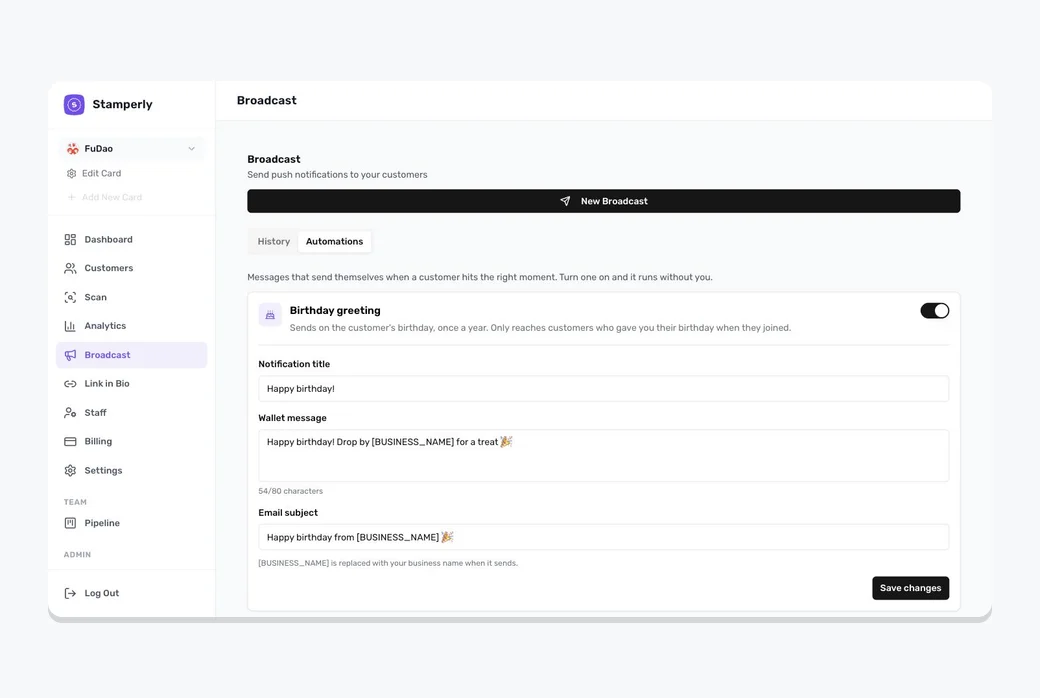
What an automation is
An automation is a message that sends itself. You switch it on once, and Stamperly watches for the moment worth acting on and sends the message for you, no scheduling, nothing to remember.
Switching one on
Go to Broadcast and open the Automations tab. Each automation has a switch; turn it on and Stamperly fills in wording for you, which you can edit. It starts working from that moment on.
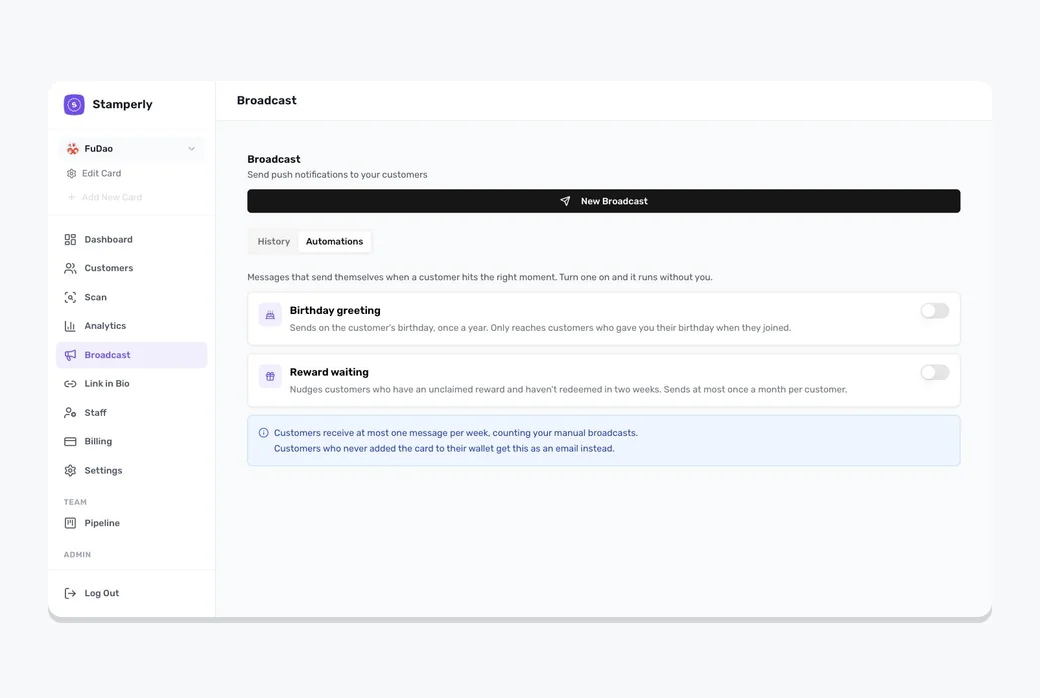
Birthday greeting
Sends on a customer's birthday, once a year. It only reaches customers who gave you their birthday when they signed up, so make sure the birthday field is switched on in your card's sign-up form if you want to use this.
Reward waiting
Reminds customers who have earned a reward but haven't claimed it, and haven't redeemed anything in the last two weeks. A customer gets this at most once a month, so a reminder never turns into nagging.
Save card reminder
Emails customers who joined a few days ago but haven't saved their card to Apple Wallet or Google Wallet yet, with a link back to their card. It only reaches customers who left an email address, and each customer gets it once.
How Stamperly protects your customers
- One message per customer, per week. No matter how many automations you switch on, nobody hears from you more than once a week.
- Your broadcasts count too. If you sent a promo on Friday, an automation won't pile on top of it.
- Customers with no wallet pass get an email instead, with an unsubscribe link, exactly like a broadcast.