What a broadcast is
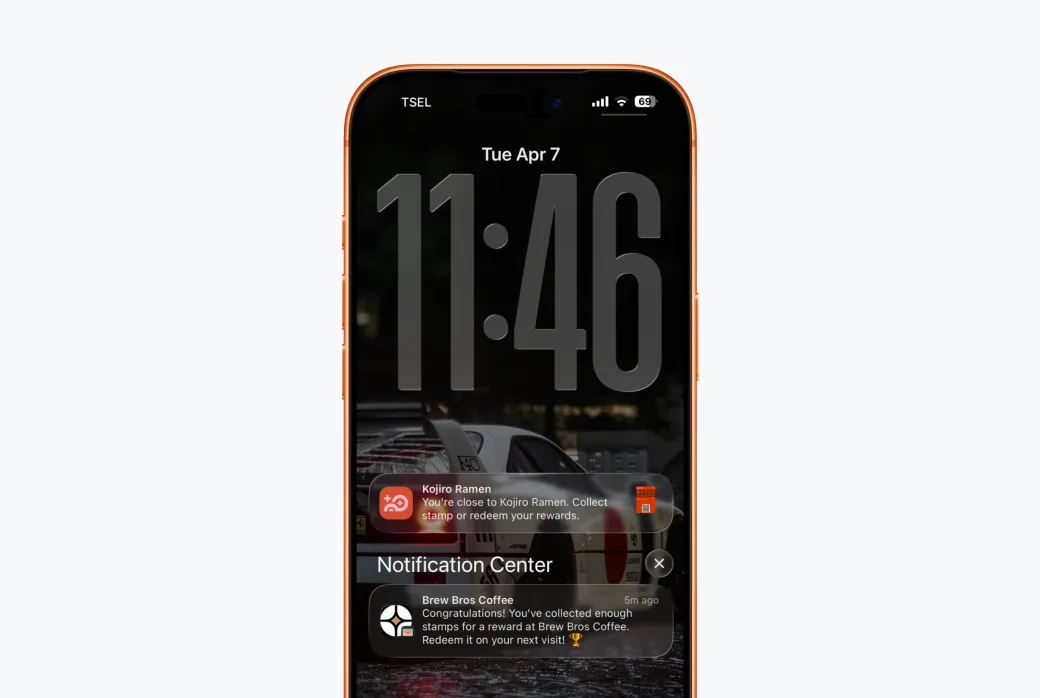
A broadcast sends a push notification to the wallet passes of all customers on a card. No phone numbers, no SMS costs, no email open rates, the message appears on their lock screen, right where the card lives.
Compose and send
Go to Broadcast, pick the card whose customers you want to reach, write your message, and send. Keep it short, it's a lock-screen notification, not an email.
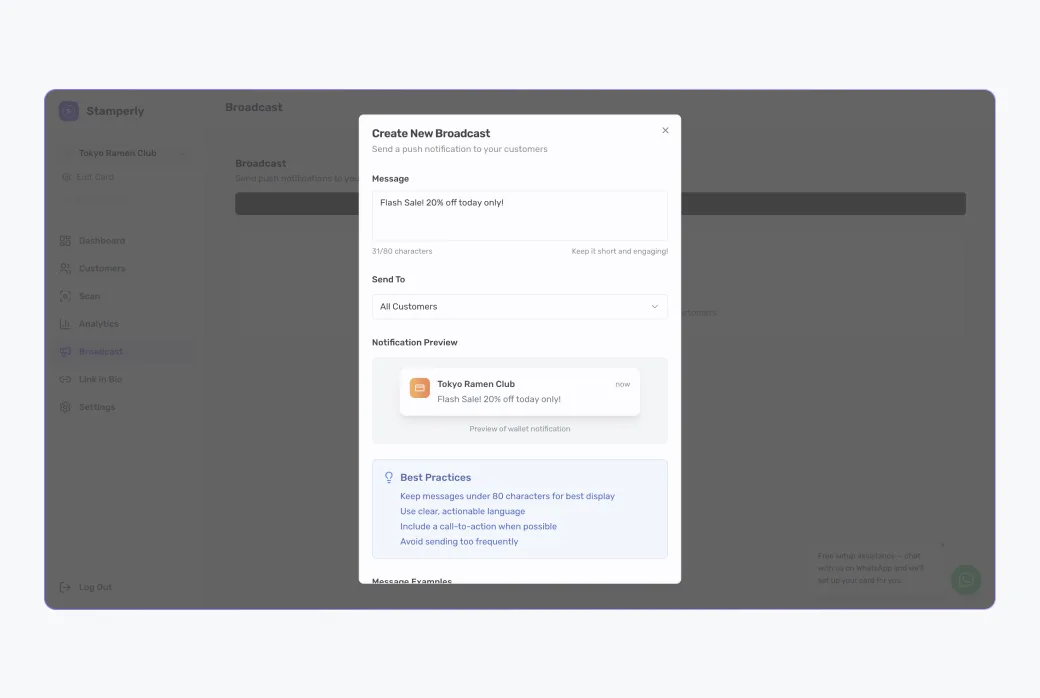
What the customer sees:
Customers without a wallet pass
Some customers sign up but never add the card to Apple or Google Wallet, so a lock-screen notification can't reach them. Stamperly emails those customers the same message instead, you don't have to do anything, and nobody receives it twice.
Every one of those emails carries an unsubscribe link. If a customer opts out, Stamperly stops emailing them from then on; they'll still receive wallet notifications if they later add the card.
Good practices
- One or two per week at most. Notifications are powerful precisely because they're rare.
- Give a reason to visit: "Double stamps today", "New menu this weekend", "Happy hour 3–5pm".
- Time it for slow days. A Tuesday-afternoon promo fills your quietest hours.