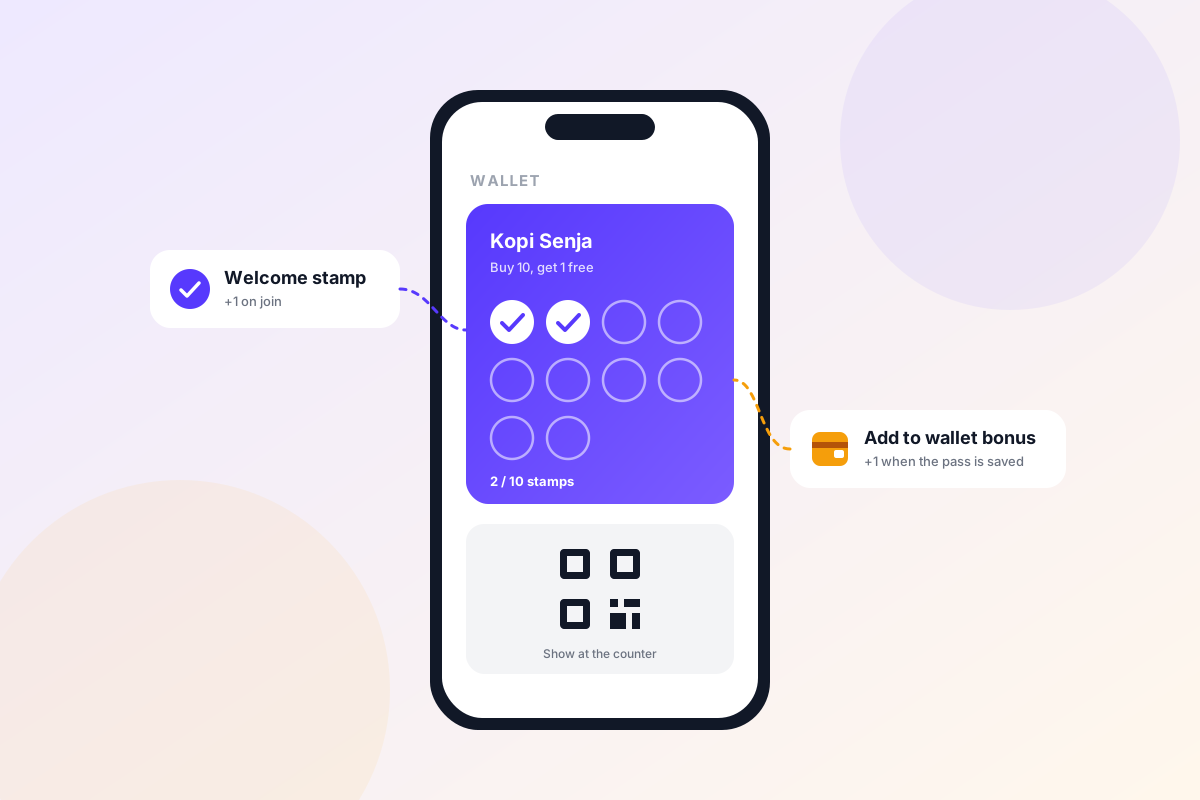
Why an empty card gets forgotten
A card with zero stamps asks the customer to start from scratch. Ten visits feels like a long way off, so the card slips to the bottom of the wallet and never comes back up.
Psychologists call the fix the endowed progress effect. In a well-known car wash study, some customers got a card needing 8 stamps, others a card needing 10 stamps with 2 already filled in. Both needed the same 8 purchases, but the pre-stamped cards were completed about 82% more often. A card that isn't at zero feels in progress, and people like to finish what they've started.
What Welcome stamp does
With Welcome stamp on, a customer who joins from your public join page starts with a few stamps instead of an empty card. They get there by scanning your QR code or opening your join link, and the page tells them up front: “Join and get N free stamps”, where N is the number you chose.
- It sweetens the decision to join. “Free stamps” is a concrete reason to scan right now.
- Only public joins get it. A customer your staff add by hand doesn't receive a Welcome stamp.
What Add to wallet bonus does
Add to wallet bonus gives the customer extra stamps when they actually add the card to Apple Wallet or Google Wallet. It's granted on the real install, not when they tap the button, and only once per customer, ever. Until they claim it, their card page shows: “Add this card to your wallet and get N free stamps.”
A card in the wallet is a customer you can reach. Once the pass is installed you can use push notifications when stamps or rewards change, broadcast messages straight to the lock screen, location reminders near your store, and the pass itself sitting on their lock screen. A customer who only has a link in their browser history is easy to lose.
How to set it up
Both settings are per card, opt-in, and independent of each other. You can use one, both, or neither.
Open your card
In the web dashboard at app.stamperly.com, go to your card and open Customize Card.
Go to the Information tab
Both fields live there (app.stamperly.com/card?tab=information).
Set the stamp counts
Enter a number for Welcome stamp and for Add to wallet bonus. Leave either one at 0 to keep it off.
Save
New joins and wallet installs from that moment on get the bonus.
How many stamps to give
One rule is built in: Welcome stamp and Add to wallet bonus together must stay below your smallest reward requirement. The form enforces it, so a bonus can never complete a reward by itself. Beyond that, a good starting point is:
10-stamp card
1 Welcome stamp + 1 Add to wallet bonus. The customer starts at 2 of 10, the same head start as in the car wash study.
12 to 16-stamp card
2 Welcome stamps + 1 Add to wallet bonus. A longer card needs a slightly bigger head start to feel in progress.
Never give more than a quarter of the card for free. Past that, the reward stops feeling earned and you're giving away margin for no extra return. And always keep both bonuses below the smallest reward, even if your card has several tiers.
Tips to get the most out of it
- Advertise the free stamps. Put them on your table tent or QR sign (“Scan and get free stamps”) and in the caption of your join link.
- Train staff to say one sentence. “Add it to your wallet and you get another stamp.” That's the whole script.
- Watch the numbers. The Join page section in Analytics shows wallet-add conversion, so you can see whether customers are actually installing the card.
- Follow up after the first visit. Pair the bonus with a broadcast message that thanks them and reminds them how close they are to the next reward.


